Stop Chasing Unpaid Registrations — Zooza 3.8.3 Now Auto-Cancels Them for You

Every week, studio owners across Europe spend hours doing the same thing: scrolling through registration lists, checking who hasn’t paid, sending reminders, and manually cancelling stragglers. Zooza 3.8.3 introduces auto-cancel unpaid registrations — plus three more updates that cut manual work and give you reports you’ve been asking for.
Here’s what shipped and why it matters.
Auto-Cancel Unpaid Registrations: Set a Rule, Walk Away
If you run 15 courses with 30 students each, that’s 450 registrations to monitor. Even if only 10% are late on payment, you’re still manually chasing 45 people — checking statuses, sending emails, deciding when to pull the trigger on cancellation. Multiply that by a franchise network and you’ve got a part-time job nobody signed up for.
Challenge: Studio admins spend 3–5 hours per week manually tracking unpaid registrations, sending payment reminders, and cancelling no-shows. Across a multi-location network, that’s dozens of admin hours lost every month — with no consistency between locations.
Now you can configure a single rule on each course: after X days unpaid, Zooza schedules a cancellation. But it doesn’t cancel immediately. The student gets a configurable grace window — time to settle the balance. If they pay within that window, the cancellation is automatically revoked and the registration stays active. If they don’t pay, Zooza cancels and sends the standard cancellation email. No manual step. No spreadsheet. No ”did I already email this parent?”
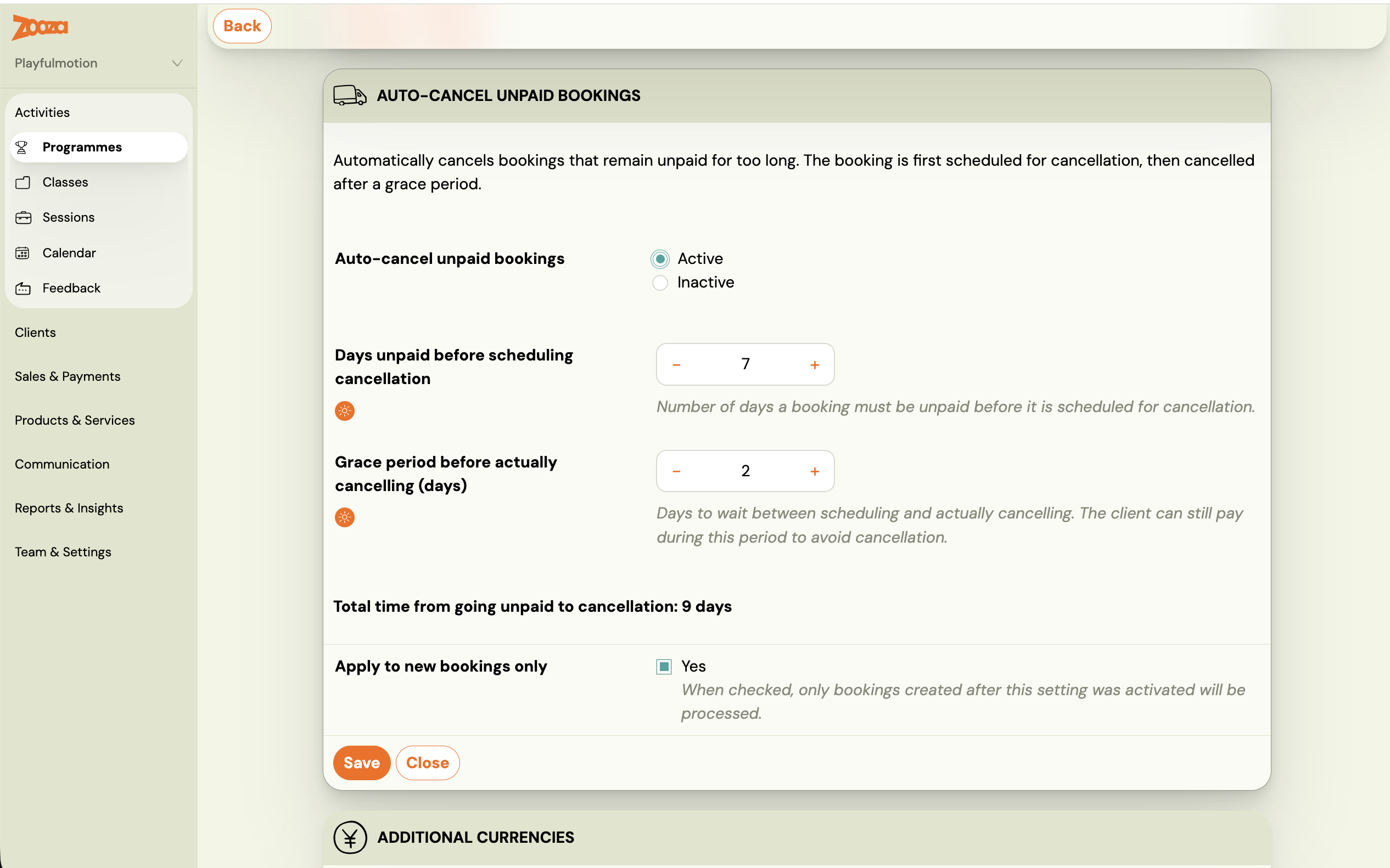
Configuration is one rule per course — set it and forget it. Full setup details are in the auto-cancel unpaid registrations guide.
Solution: One rule per course. Configurable grace period. Auto-revoke if the parent pays in time. Standard cancellation email if they don’t. Zero manual steps after setup.
The Outstanding Payments Report
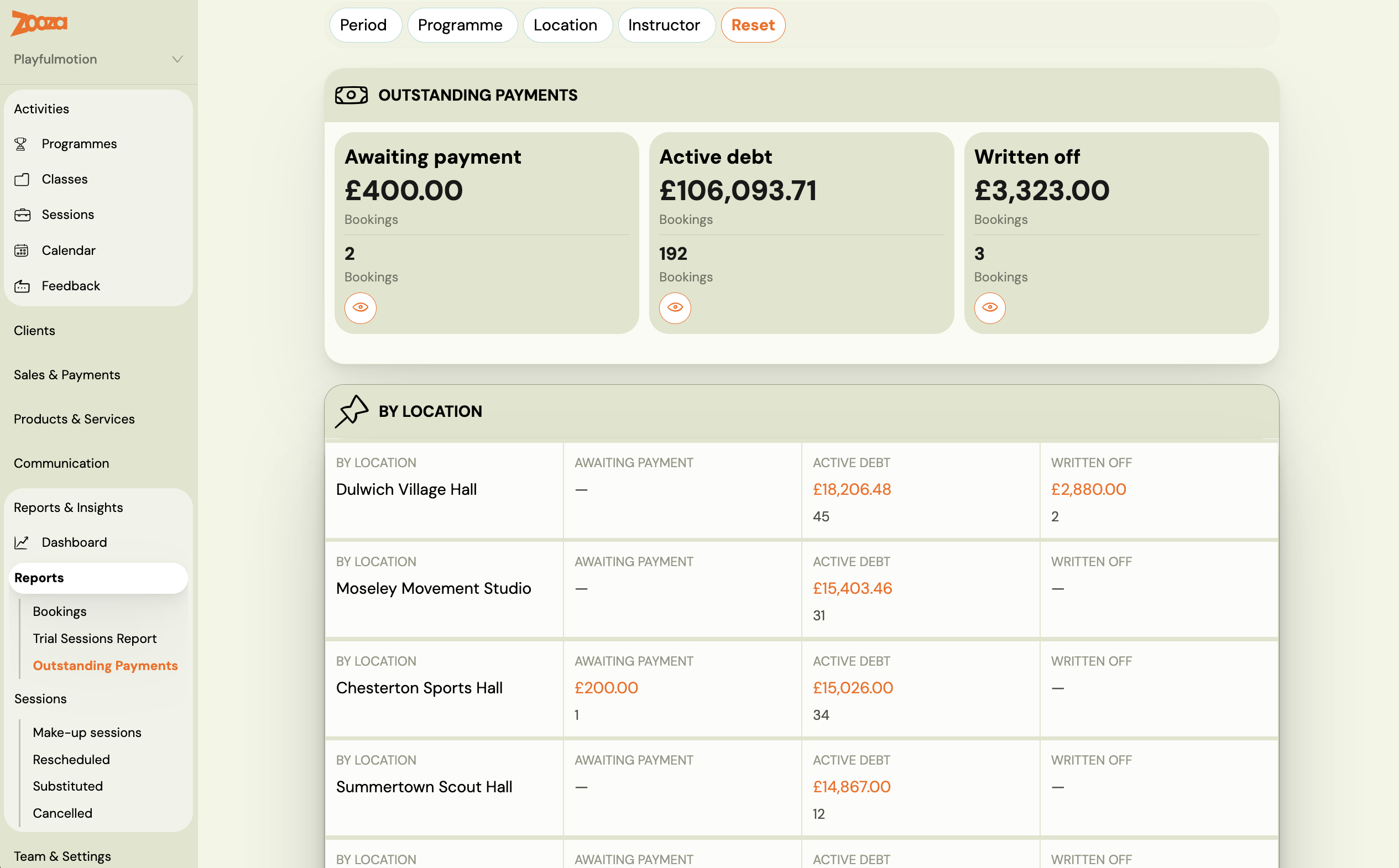
Alongside auto-cancel, there’s a new Outstanding Payments report that splits your unpaid registrations into three cohorts:
-
Awaiting payment — invoiced but not yet due. This is your cashflow forecast.
-
Active debt — past due, student still enrolled. These need attention.
-
Written off — already cancelled (manually or by auto-cancel). Historical record.
There’s also a new filter in the registrations list for ”auto-unenrolled” registrations, so you can quickly see who was removed by the system versus manually by staff. According to a 2024 Xero report on late payment trends, small businesses in the EU spend an average of 15 days per year chasing overdue invoices. Automating even part of that process directly recovers admin capacity.
Disrupted Sessions Reports: See Who Was Affected When Plans Changed
Classes get rescheduled. Trainers call in sick. Venues close for maintenance. It happens. The problem isn’t the disruption — it’s that you had no quick way to see which clients were affected. A dance studio that reschedules 4 sessions during school holidays might impact 80 families. Were they all notified? Did anyone ask for a credit?
Zooza 3.8.3 adds two things:
-
Session list filters — filter by Rescheduled, Substituted, or Cancelled sessions. You can now also export the filtered sessions list to Excel (up to 5,000 rows).
-
Disrupted Sessions Report — one row per client per affected session. Shows the student name, the session, and the type of disruption. Export it, share it with your franchise HQ, or use it to audit credit requests.
This is especially useful for studios where rescheduling is regular — seasonal closures, trainer substitutions, venue rotations. Research from Frontiers in Psychology (2021) confirms that schedule consistency is a major factor in customer retention for recurring services — so knowing exactly who was disrupted isn’t just operational hygiene, it’s retention management.
Full details in the Disrupted Sessions Report documentation.
Customer Consents Overview: Let Parents Self-Serve Their GDPR Questions
You know the email: ”Hi, can you remind me what I agreed to when I signed up my daughter?” Under GDPR, you’re obligated to provide that information. Until now, that meant digging through records and replying manually.
Now, customers see all their consents and agreements directly in their own profile — including Zooza platform consents. Everything is visible in one place.
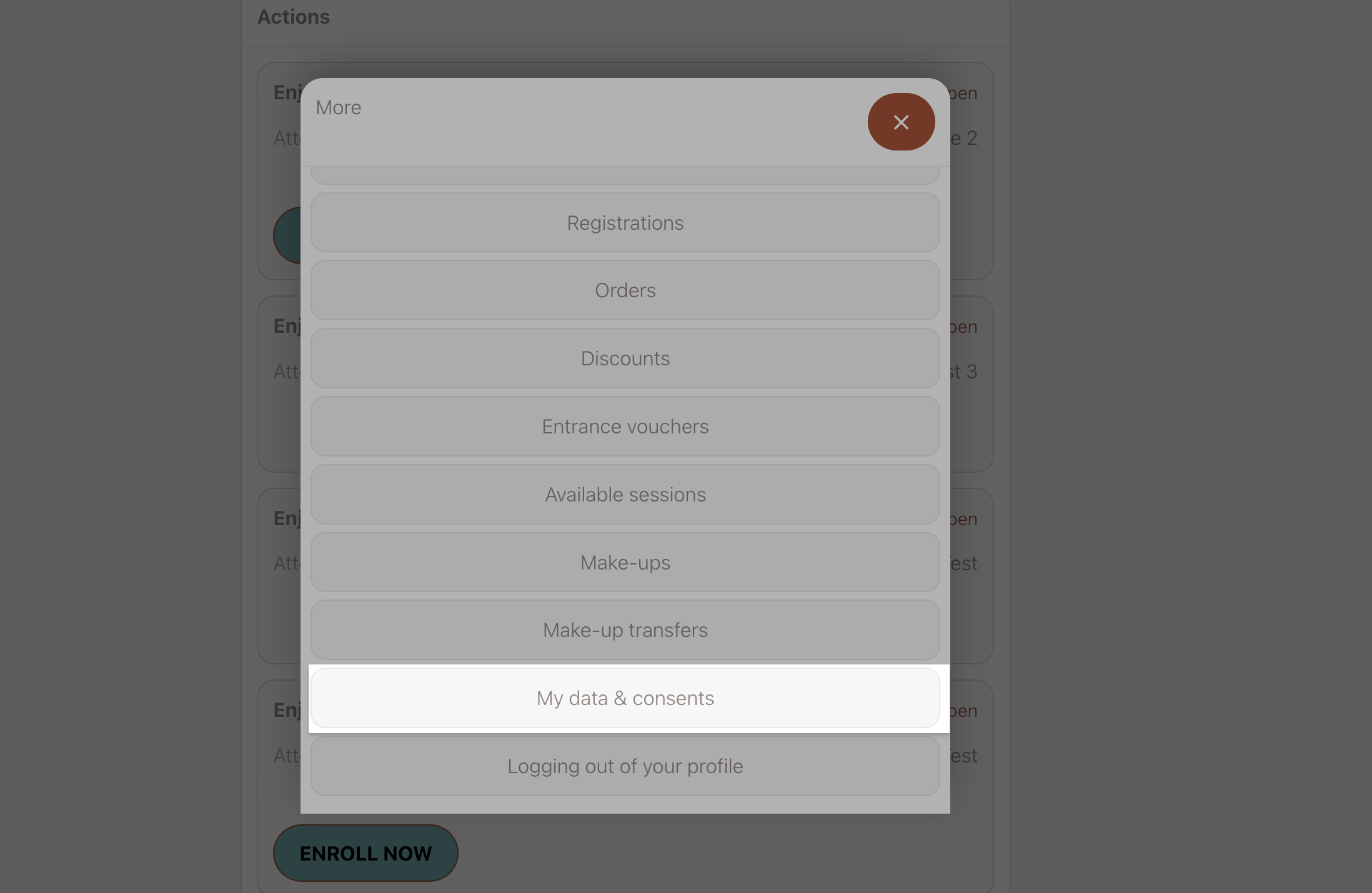
They can also download a self-contained PDF on demand. The PDF includes the full agreement text, date, and version — no external links that might break over time. As the European Commission’s guidance on data access rights makes clear, data subjects have the right to obtain a copy of their personal data — having a one-click PDF makes compliance effortless.
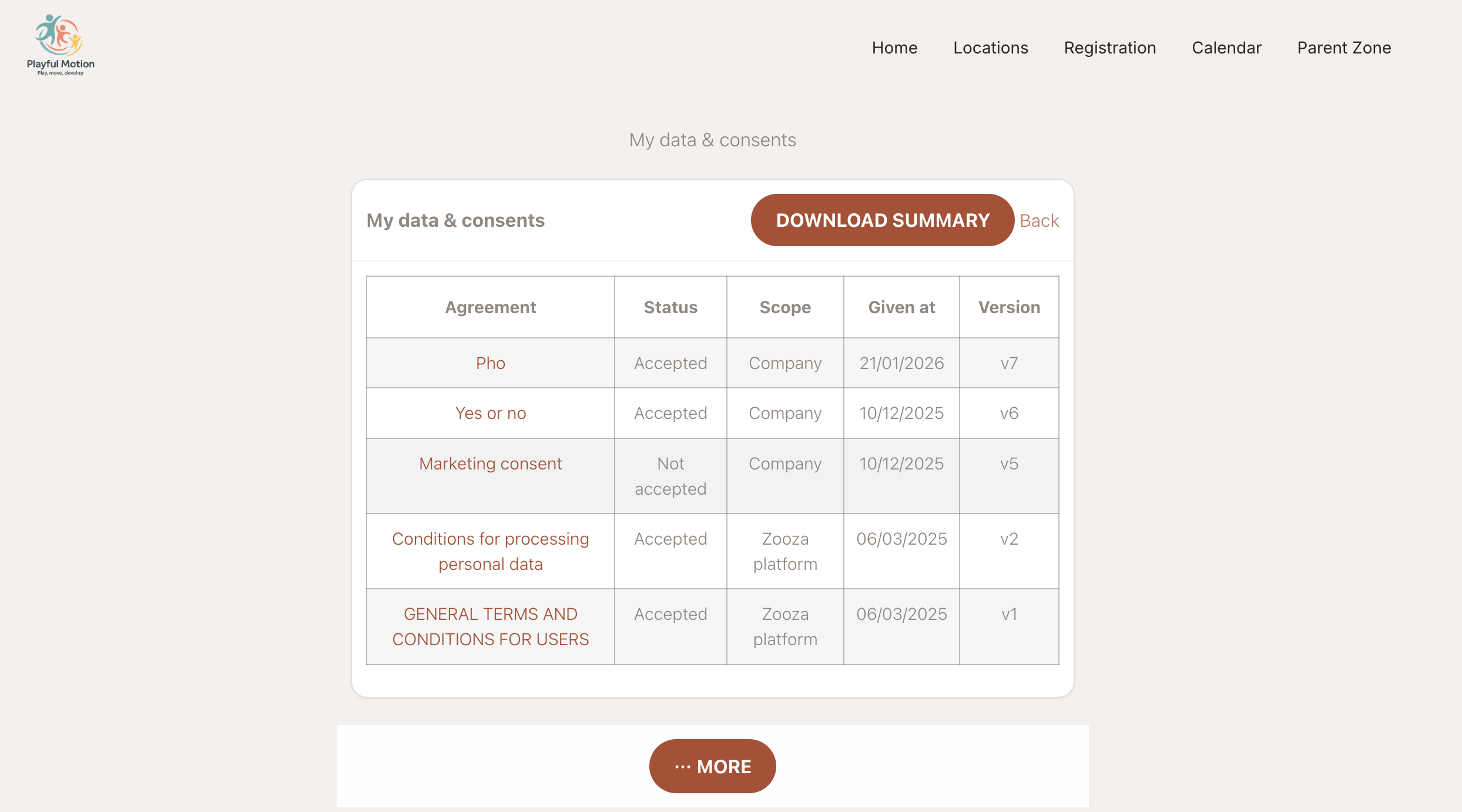
Fewer support tickets. Stronger GDPR story. See the full walkthrough in the client consent overview guide.
Custom Invoice Number Templates: Match Your Accountant’s Format
Zooza’s default invoice numbering works — until your accountant tells you it doesn’t match their system. Especially across multi-country franchise networks where each entity may have its own convention.
You can now define a custom template in your invoice profile settings. Example: INV-{YYYY}-{VS} produces INV-2026-12345. Supported tags:
-
{VS} — variable symbol / order ID
-
{YYYY} — four-digit year
-
{MM} — month
-
{DD} — day
-
{N} — sequential counter (zero-padded)
Works with Fakturoid, Faktury Online, Xero, and Zooza’s own invoicing engine. Set once per invoice profile. Details in the custom invoice number template documentation.
Available from Version 3.8.3
Here’s where to find each new feature:
-
Auto-cancel unpaid registrations — Course settings → Payment rules
-
Outstanding Payments report — Reports dashboard
-
Disrupted Sessions report — Reports dashboard
-
Sessions list export — Sessions list → Export button
-
Customer consent overview — Client profile (customer-facing)
-
Custom invoice number templates — Invoice profile settings
All features are live now. If you’re running a multi-location activity school and want to see how these fit into your workflow, explore the full Zooza feature set — or just log in and try them.